
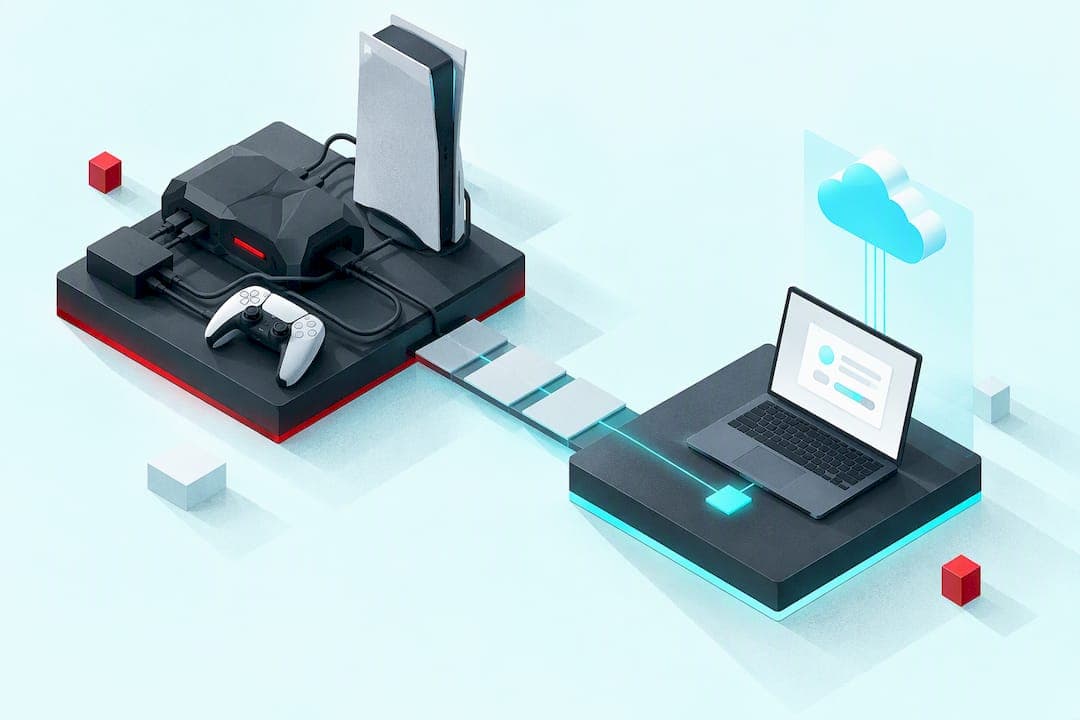
A Cronus Zen emulator converts one controller's signal into another format the console reads as native input, and it can run scripts that automate or smooth your inputs in real time. That flexibility lets you remap controls, use a mouse and keyboard on console, or apply custom macros across PS5, Xbox, and PC. The trade-off is real: publishers increasingly flag and penalize accounts that use these devices in competitive online play. This guide covers the features, the scripting layer, PS5 setup quirks, ban risk, and a browser-based alternative worth knowing about.
TL;DR:
- Using emulators like Cronus Zen involves configuration of DPI, ballistic curves, and profiles to achieve natural feel and avoid sluggish aiming.
- PS5 setup may require dedicated authentication modules or stable firmware updates to ensure reliable recognition and connection stability.
- Anti-cheat systems primarily detect behavioral patterns such as perfect recoil canceling or frame-perfect macros, not the presence of the emulator hardware itself.
- Online use of scripts carries a significant ban risk, especially in ranked modes, due to enforcement of Terms of Service rather than legal violations.
- Browser-based virtual controllers like ForgeVZ offer script editing and testing without hardware, but involve ongoing subscription costs and limited console support.
Table of Contents
- How controller emulation actually works
- Understanding scripts, GPC code, and how they run
- Setting up your device, with PS5-specific notes
- Ban risk and how anti-cheat detection actually works
- Advanced tuning and troubleshooting for stable use
- ForgeVZ's browser-based virtual Zen controller
- What Cronus Zen and virtual alternatives actually cost
- Cronus Zen versus other emulators and virtual controllers
- Where to find community help and troubleshooting support
- How emulation affects latency and in-game performance
- Where responsible use ends and risk begins
- Try ForgeVZ's virtual controller for PS5
- Sources
- FAQ
How controller emulation actually works
At its core, a controller emulator sits between your input device and the console, translating signals so the system reads them as a standard controller. This is how a Cronus Zen or similar adapter can accept a mouse and keyboard and output something a PS5 or Xbox recognizes as a legitimate controller, a process commonly called mouse-and-keyboard (MK) emulation. According to reporting on the Cronus Zen controversy, these adapters support PS5, PS4, PS3, Xbox Series X|S, Xbox One, Xbox 360, and Nintendo Switch, and they typically include an onboard script compiler, an OLED menu, and MK emulation tools.
MK emulation is not just plug-and-play. Fine control depends on adjusting DPI sensitivity, ballistic curves (how mouse movement translates to stick input), and per-game MK profiles that map keys to buttons in a way that feels natural. Getting this tuning wrong makes aiming feel sluggish or twitchy, which is why most serious users spend real time in configuration before ever loading a script.
Beyond raw conversion, these devices run prebuilt macro packages, often called GamePacks, alongside fully custom scripts you write yourself. GamePacks slot into memory banks for quick access, while custom scripts require more setup but offer precise control over behavior.
- Platform bridging converts your input device's signal into a format the console accepts as a native controller.
- MK emulation lets you use a mouse and keyboard on console, tuned through DPI and ballistic curve settings.
- GamePacks are prebuilt macros you can load without writing code, assigned to memory slots for quick switching.
- Firmware and companion software determine which games and consoles the device supports, and outdated firmware is a common cause of compatibility failures.
Device configuration typically happens two ways: through an onboard OLED menu for quick adjustments, or through companion desktop software for deeper script editing and firmware management. Keeping firmware current through official channels matters both for compatibility and for avoiding the instability that comes with unsupported workarounds.
Understanding scripts, GPC code, and how they run
Scripts on these devices are usually written in a proprietary, C-like scripting language sometimes referred to as GPC. A compiler built into the device or its companion software takes that script logic and converts it into real-time controller output, executing instructions as you play rather than as a one-time setup step. This is what separates a static remap from an active script: the code runs continuously, reading game state signals like button presses and adjusting output on the fly.
Common script categories fall into a few recognizable patterns:
- Anti-recoil scripts counteract a weapon's recoil pattern by nudging the aim stick in the opposite direction as you fire.
- Aim smoothing reduces micro-jitter in stick movement to produce steadier tracking.
- Rapid-fire macros convert a single trigger pull into repeated fire inputs faster than manual pulling allows.
- Complex macros chain multiple actions together, such as a reload-and-aim sequence triggered by one button.
Scripts get authored and edited either in a desktop Studio-style application or, increasingly, in browser-based editors that skip the local install entirely. Once written, they get assigned to memory slots or profiles so you can switch between games or loadouts without rewriting anything.
The operational catch is precision. A script that removes recoil with perfect consistency, frame after frame, produces an input signature no human hand replicates. That consistency is exactly what modern detection systems are built to notice, which is a theme this article returns to in the section on ban risk.
Setting up your device, with PS5-specific notes
General setup follows a predictable sequence, though PS5 users hit an extra wrinkle that Xbox and PC users mostly avoid.
- Register the device with the manufacturer's companion software and create an account if required.
- Install the companion Studio application on a PC to manage firmware, scripts, and profiles.
- Flash the latest firmware before first use, since outdated firmware is the most common cause of dropped connections and unrecognized inputs.
- Choose wired or wireless mode depending on your console and whether you need the lowest possible latency.
- Load your profile or script and test it offline before connecting online.
PS5 adds a complication that older consoles did not have. Official setup documentation indicates the PS5 requires additional authentication handling for third-party HID and emulation devices, which in practice means many users need a dedicated authentication helper module or a separate LINK-style device to get native recognition working. Unofficial software bypasses exist, but they tend to be unstable and are increasingly blocked by console firmware updates, leaving you stuck mid-session if a patch lands.
A few practical habits keep connections stable:
- Use a powered USB hub rather than relying on the console's front ports, since power delivery issues are a common cause of unexpected disconnects.
- Prefer rear USB ports for the initial pairing when possible, since they tend to deliver more consistent power.
- Keep both console and device firmware updated in a controlled order rather than letting either lag behind.
Ban risk and how anti-cheat detection actually works
The most important distinction to understand is that using a controller emulator is not illegal, it is a Terms-of-Service issue. Publishers write their own rules about what counts as acceptable input, and enforcement happens through account penalties, not law enforcement. That distinction matters because it changes what "risk" actually means here: you are not breaking a law, but you are agreeing to rules that most publishers now interpret strictly.
Reporting on Battlefield 6 cheater bans documents publisher enforcement actions against input-manipulating device users, with penalties ranging from temporary suspensions to permanent, account-wide bans. Those bans are frequently upheld by platform providers, which means a permanent ban can cost you access to every game license tied to that account, not just the one you were playing.
Detection tends to focus on behavior, not hardware. Anti-cheat systems mostly look for input patterns a human hand does not produce, like a recoil pattern that cancels out with mechanical consistency or a macro that fires with frame-perfect timing every single time. That behavioral signature, more than the mere presence of an adapter, is what draws scrutiny from both automated systems and manual review.
If you want to manage risk rather than eliminate it, a few practices help:
- Avoid using scripts in ranked or competitive online modes, where enforcement is most aggressive.
- Reserve scripting for offline or single-player contexts where account risk does not apply.
- Favor transparent, documented scripts over closed-source downloads of unknown origin.
- Assume any online use carries real account risk, regardless of how "light" the script feels.
Advanced tuning and troubleshooting for stable use
Reliable operation comes down to maintenance habits more than clever configuration. Update firmware and companion software on a regular schedule, and do it in a controlled order (device first or console first, depending on the manufacturer's guidance) rather than letting either lag for months.
Hardware issues are usually about power, not software. A device that drops connection intermittently on a PS5 front port often runs clean on a powered external USB hub, which resolves the marginal power delivery that front ports sometimes struggle to provide.
On the scripting side, tuning smoother ballistic curves and, where appropriate, introducing small variability into a macro's timing reduces how mechanically perfect the output looks. This does not eliminate a ToS violation, but aggressive automation that produces identical micro-adjustments over thousands of frames is far more likely to get flagged than behavior with natural variation built in.
Community script libraries are common entry points for people who do not write code themselves, but verifying a script's author and avoiding closed-source downloads from unknown sources is a basic safety habit worth keeping.
Pro Tip: Test any new script offline first, and watch for input patterns that repeat with zero variation, since that consistency is the same thing detection systems are trained to catch.
ForgeVZ's browser-based virtual Zen controller
If hardware maintenance and PS5 authentication headaches are the part you'd rather skip, ForgeVZ offers a browser-based virtual Zen controller built specifically for PS5, running your scripts without any physical device. You get real-time script editing, live compilation, and error checking directly in the browser, plus OLED display simulation and controller input analysis for testing before you play.
- No hardware to buy or maintain, since everything runs through the browser on any device you're logged into.
- Faster iteration for script development, with live compile and error checking instead of flashing firmware to test a change.
- Cross-device portability, letting you access your scripts from a laptop, desktop, or wherever you're set up that day.
This approach fits script developers and PS5 users who want to sidestep authentication modules entirely. Physical hardware still has a place if you need local interoperability for Remote Play, which ForgeVZ addresses through a helper bridge rather than requiring you to buy a separate device.
What Cronus Zen and virtual alternatives actually cost
Hardware emulators typically involve a one-time device purchase, though pricing and bundled accessories vary by retailer and region, so exact costs are best confirmed directly with the seller you're considering. That upfront cost is only part of the picture: companion software, firmware updates, and any authentication modules needed for PS5 compatibility can add further expense depending on your setup.
Browser-based alternatives flip that model into a subscription. ForgeVZ's Virtual Zen plan runs $35 per month, covering the browser-based controller, script editing, live compilation, and error checking without any hardware to purchase separately. For someone actively developing or iterating on scripts, that recurring cost replaces the upfront hardware spend and the ongoing cost of replacement adapters, cables, or authentication modules that hardware setups sometimes require.

Licensing terms differ meaningfully between the two models too. A physical device is typically a one-time purchase tied to that unit, while a subscription model like ForgeVZ's grants ongoing access to updates and tools for as long as the subscription stays active, with no separate firmware purchase required. Which makes more financial sense depends on how often you expect to use scripting tools and whether you value owning hardware outright versus paying for continuous access to an evolving toolset.
Cronus Zen versus other emulators and virtual controllers
Hardware-based emulators like the Cronus Zen support the widest range of consoles out of the box, including PS5, PS4, PS3, Xbox Series X|S, Xbox One, Xbox 360, and Nintendo Switch, according to reporting on the device's feature set. That breadth is the main argument for hardware: one device covers nearly every platform you might own.
The trade-off is friction. Hardware requires firmware flashing, a companion desktop app for deeper edits, and, on PS5 specifically, an authentication helper module to get native recognition working reliably. Unofficial bypasses exist for that PS5 requirement, but they're unstable and firmware updates frequently close them.
A browser-based virtual controller like ForgeVZ's Virtual Zen takes a narrower but more accessible approach, focused specifically on PS5 script management without any device to configure or firmware to flash. You trade multi-console hardware coverage for faster script iteration, live compile and error checking, and access from any browser rather than a single physical unit tied to one setup.
Neither approach eliminates the underlying ToS risk of using scripts in competitive online play. The real decision is about friction and use case: multi-console hardware coverage versus PS5-focused, hardware-free script development and testing.
Where to find community help and troubleshooting support
Most script troubleshooting happens in community spaces built around specific devices, where users share GamePacks, script libraries, and configuration profiles. Community GamePacks and script libraries let you drag-and-drop prebuilt profiles into memory slots, which is the fastest entry point if you don't write scripts yourself.
The catch with community resources is verification. Not every shared script comes from a known or trustworthy source, and closed-source downloads of unknown origin carry both a reliability risk (a script that doesn't work as advertised) and a detection risk (a script written with none of the humanized variability that reduces behavioral flags). Checking a script's author and preferring documented, transparent code over anonymous downloads is a basic safety habit before loading anything into a memory slot.
Official companion software and firmware update channels remain the most reliable source for compatibility fixes, since community workarounds for issues like PS5 authentication tend to break the moment a firmware update lands.
How emulation affects latency and in-game performance
Wired connections generally introduce less latency than wireless modes, which matters more in fast-paced competitive titles where a few milliseconds of input delay is noticeable. Choosing wired mode for your initial pairing and testing is a reasonable default if consistent response time matters more to you than cable-free convenience.
Script complexity itself can introduce its own kind of lag. A script running continuous calculations, like an anti-recoil pattern reacting to every frame of gameplay, adds processing overhead that a simple button remap does not. In practice, well-written scripts running on updated firmware introduce negligible delay, but poorly optimized or outdated scripts can produce noticeable stutter or input lag, especially when several scripts run simultaneously.
Power delivery issues compound this problem. A device drawing power from an unstable USB connection can introduce intermittent lag or disconnects that have nothing to do with the script itself, which is why a powered USB hub is a common fix rather than a script rewrite.
Testing any new script or profile offline first is the most reliable way to isolate whether a performance issue comes from the script, the firmware, or the connection, before you ever risk that instability in an online match.
Where responsible use ends and risk begins
Emulators earn their keep in development and accessibility, not in ranked lobbies. I'd use one to prototype scripts or make gameplay more comfortable, never to gain an edge online. Read the publisher's ToS, keep firmware current, and be honest with yourself about which category your use case falls into.
— Forge
Try ForgeVZ's virtual controller for PS5
If you're building or testing scripts and don't want to manage hardware, firmware flashes, or PS5 authentication modules, a browser-based virtual Zen controller provides script editing and testing workflows without requiring a physical device.

- Real-time script editing with live compilation and error checking, right in your browser.
- Cross-device access, so your scripts follow you rather than staying tied to one machine.
- No hardware maintenance, since there's no firmware to flash or authentication module to troubleshoot.
The Virtual Zen plan runs $35 per month with self-service signup, giving you immediate access to script editing, compilation, and display simulation tools. Visit ForgeVZ to get started.
FAQ
Will I get banned if I use Cronus Zen?
You risk a ban if you use it in online competitive play, since publishers increasingly enforce against input-manipulating devices through their Terms of Service. Reported penalties range from temporary suspensions to permanent, account-wide bans, and enforcement is frequently upheld by platform providers.
Are Cronus Zens legal?
Yes, owning and using a controller emulator is legal, since no law prohibits the hardware itself. The risk comes from publisher Terms of Service, which is a private contract enforcement issue, not a legal one.
Are Cronus Zens cheating?
Many publishers classify scripted input assistance, like anti-recoil or aim smoothing, as cheating under their own Terms of Service, especially in competitive online modes. Whether a specific use counts depends on the publisher's rules and the game mode, so offline and single-player use generally carries far less scrutiny.
Is there a Cronus Zen controller emulator available for PS5?
PS5 support for hardware emulators typically requires an additional authentication helper module, since the console needs extra handling to recognize third-party devices natively. Browser-based alternatives like ForgeVZ's Virtual Zen are built specifically for PS5 and skip that hardware authentication step entirely by running in a browser instead.
What triggers anti-cheat detection when using scripts?
Detection systems mostly look at behavioral consistency rather than the presence of hardware, flagging input patterns a human hand does not naturally produce. A recoil pattern that cancels out with mechanical precision or a macro that fires with identical timing every time is far more likely to draw scrutiny than behavior with natural variation.